Source first
Use the official game site, Roblox page, and Roblox page for identity, availability, and store information.
Separate confirmed facts from previews.Independent action-game player wiki
Prepare for Amber Alert 3.0 with verified release references, combat explainers, weapon planning, and a clear record of details that still need confirmation after launch.
Featured guides
Follow the guide that matches your current question, from a first-session route and combat practice to weapons, bosses, builds, technical checks, and dated updates.
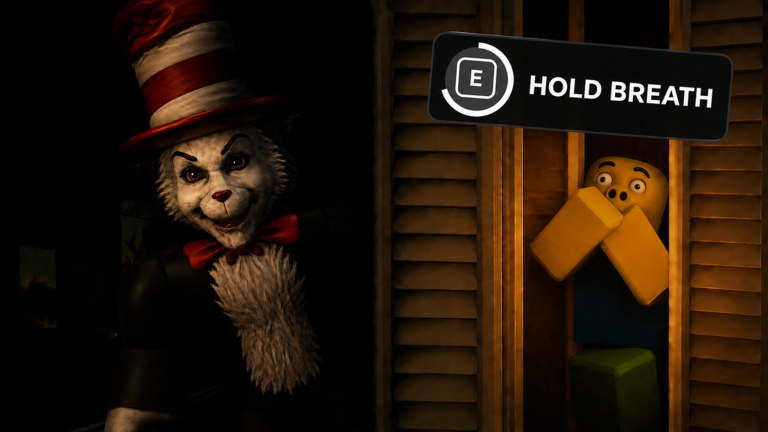
Learn how to start Amber Alert 3.0, prepare the 1990 House, manage noise, read alerts, complete tasks, and survive your first Roblox sessions.
Open guide Learn the documented CCTV purchase and monitor flow, a safe camera-check routine, Engineer tablet context, and current 3.0 verification limits.
Open guide Browse a cautious Amber Alert 3.0 monsters list that separates official current facts from historical inmate names, badges, and older versions.
Open guide Respond to the Broadcaster's officially confirmed stalking behavior with route control, short team calls, safe observation, and cautious testing.
Open guide Check which Amber Alert map names are current, portal-based, historical, or announced, and learn how to verify a route before using it.
Open guide Compare the documented Amber Alert classes by role, star snapshot, and current verification status without turning older 2.0 records into a 3.0 tier list.
Open guide Browse currently documented Amber Alert item names by purpose and learn which price, effect, source, persistence, and version fields need a 3.0 check.
Open guide The official Roblox page, Games API metadata, official event states, and major current community references were compared. The official public description still names Amber Alert 3.0, 45 threats, 1990 House, both old-version portals, tasks, the new Shop, items, upgrades, hearing, windows, and Broadcaster stalking.
Open guideOfficial videos
Open a verified trailer or gameplay presentation from the official game and Roblox channels.
First-run preparation
Use the official store information as your base, then move from a first look at combat into weapon choices and tested build notes once the game is available.
Start with the release guide and official store pages; dates, editions, and regional availability can change before launch.
Read the combat basics and parry-versus-dodge guide before treating footage or an early impression as a complete ruleset.
Use the Weapon Index to compare confirmed names and categories, then wait for verified in-game details before committing to a build.
Difficulty, controls, performance, balance, and content availability should be confirmed against the current build after release.
Use this official gameplay presentation to understand the game’s tone and combat presentation. Treat it as a preview, not a final balance reference.
Start here
Open the guide that helps with the decision in front of you, then use official sources for any detail that can change before or after launch.
Check release information, platform notes, and a practical starter route before you buy or download.
→ CombatStart with combat terminology, defensive choices, and what still needs hands-on verification.
→ WeaponsBrowse the weapon index and loadout guidance without mistaking incomplete version-sensitive data for final values.
→ WorldUse the world and character pages to organize confirmed names, places, and story context.
→Preparation priorities
A good next step answers the question you actually need to make a safe choice.
Use the official game site, Roblox page, and Roblox page for identity, availability, and store information.
Separate confirmed facts from previews.Pick a combat, weapon, boss, or technical question before opening a guide so the next page has a clear purpose.
Choose the question before the build.Early videos and store copy cannot settle final controls, balance, performance, or complete content lists.
Recheck details in the current game.What the wiki can confirm
Official listings, player guides, and the released game each answer different questions.
Roblox identifies Amber Alert 3.0, App ID 108730407897379, TEZ Studios - Amber Alert, TEZ Studios - Amber Alert, and a planned release date. The official site and Roblox page provide complementary platform information.
→ Guide referenceUse the linked hubs to compare player-facing explanations and marked verification status as the game’s information becomes testable.
→ Current-build checkConfirm changing mechanics, performance, accessibility, availability, and any unverified list in the current released build.
→Wiki directory
Start with the part of the game you are planning for; use date and verification notes whenever a detail may change.
Current-information reminders
Use the wiki to prepare, but rely on official sources and the current released build for details that can change.
Roblox currently lists a planned release date of the current experience. Confirm your region, edition, and availability through official store pages before purchase.
Check the guide →The official Roblox page, Games API metadata, official event states, and major current community references were compared. The official public description still names Amber Alert 3.0, 45 threats, 1990 House, both old-version portals, tasks, the new Shop, items, upgrades, hearing, windows, and Broadcaster stalking.
Check the guide →Player FAQ
Direct answers for players deciding what to follow, prepare for, or verify next.
Amber Alert 3.0 is a current Roblox survival-horror experience. Its Roblox store page credits TEZ Studios - Amber Alert as developer and TEZ Studios - Amber Alert as publisher, and presents the player’s journey through a survival-horror world.
Roblox lists a planned release date of the current experience. Store timing, regional access, and editions can change, so confirm the current official page before purchase.
The verified Roblox page lists the Windows PC version. Roblox’s official page lists the game for Roblox 5; confirm final availability and regional timing with each storefront.
Roblox identifies TEZ Studios - Amber Alert as the developer and TEZ Studios - Amber Alert as the publisher.
Begin with the release-date and beginner guides, then move to combat basics. This keeps official information separate from details that require release-build testing.
Not yet unless a page identifies a source and verification status. version-sensitive materials can introduce or change information, so use them as planning references rather than final balance data.
Check the controller guide and the current Roblox store page. Final support, prompts, and configuration behavior need verification in the released PC build.
No. This is an independent fan guide. TEZ Studios - Amber Alert, Roblox, and Roblox are the sources for official announcements and storefront information.
Evidence-aware player help
The wiki separates official identity references from details that need post-launch testing.
Independent fan wiki. Not affiliated with TEZ Studios - Amber Alert, TEZ Studios - Amber Alert, Roblox, or Roblox.